


Real-Time Dynamic Pricing in Medusa — A Developer's Guide to Fluctum


Selling gold, silver, or other spot-priced goods online creates a pricing challenge most e-commerce platforms don't handle: market quotes move continuously, and a product's listed price can change between add-to-cart and checkout. That mismatch forces merchants to either update prices constantly (impractical) or accept losses and unhappy customers.
Medusa's module system makes it straightforward to add custom pricing logic without forking the platform. You even don't have to design and maintain a custom pricing engine yourself — a community-built Medusa plugin handles the heavy lifting. Fluctum is an open-source Medusa-based solution that implements the full stack you need: scheduled spot-price ingestion, real-time storefront updates via Server-Sent Events (SSE), and auditable price locks at checkout.
The Solution: Fluctum
Fluctum fetches live spot prices on a schedule, streams them to the storefront, and locks the computed price for a cart when checkout begins. It ships as two pieces: the installable plugin (@u11d/medusa-dynamic-pricing) for adding dynamic pricing to an existing Medusa store, and fluctum_starter, a ready-to-use template repository (Medusa backend + Next.js storefront + Docker Compose) for running the whole flow locally.
This guide uses the starter because it's the fastest way to see live pricing, SSE updates, and checkout locking working end to end. For full configuration and option details, see the plugin npm page. Fluctum is MIT-licensed and the starter ships with four metals (XAU, XAG, XPT, XPD) out of the box, and it can be extended to price any volatile asset.
In this article, we'll walk through setting up the starter locally, verifying the live pricing and checkout-lock flow end to end, how Fluctum computes the final price, and deploying it to production.
Prerequisites
- Node.js v24+
- pnpm v11+ (
corepack enablepicks up the pinned version automatically) - Docker & Docker Compose (for local PostgreSQL and Redis)
Quick Start
Step 1: Create your repo from the template
Click Use this template on GitHub to create your own repo pre-wired with the plugin, or clone it directly:
git clone https://github.com/u11d-com/fluctum_starter.git my-store
cd my-store
Step 2: Install dependencies
Run the project's package manager to install dependencies:
pnpm install
Step 3: Configure environment variables
cp backend/.env.template backend/.env
cp storefront/.env.template storefront/.env
backend/.env already points DATABASE_URL and REDIS_URL at the local Docker services, and JWT_SECRET/COOKIE_SECRET are pre-filled, so no changes are needed there.
Add GOLD_API_KEY if you have a goldapi.io key to pull real spot prices. Otherwise, leave it unset and the plugin falls back to randomProvider, which generates realistic-looking fluctuating prices - useful for local development and for testing the checkout-lock flow without a live feed dependency. You'll set NEXT_PUBLIC_MEDUSA_PUBLISHABLE_KEY in storefront/.env in step 6, after the admin user exists.
Step 4: Start infrastructure
docker compose up -d
This starts PostgreSQL on port 5432 (database fluctum) and Redis on port 6379.
Step 5: Run migrations
pnpm run backend:migrate
This runs Medusa's database migrations and seeds initial data.
Step 6: Create an admin user and start the backend
pnpm run backend:create-admin
pnpm run backend:dev
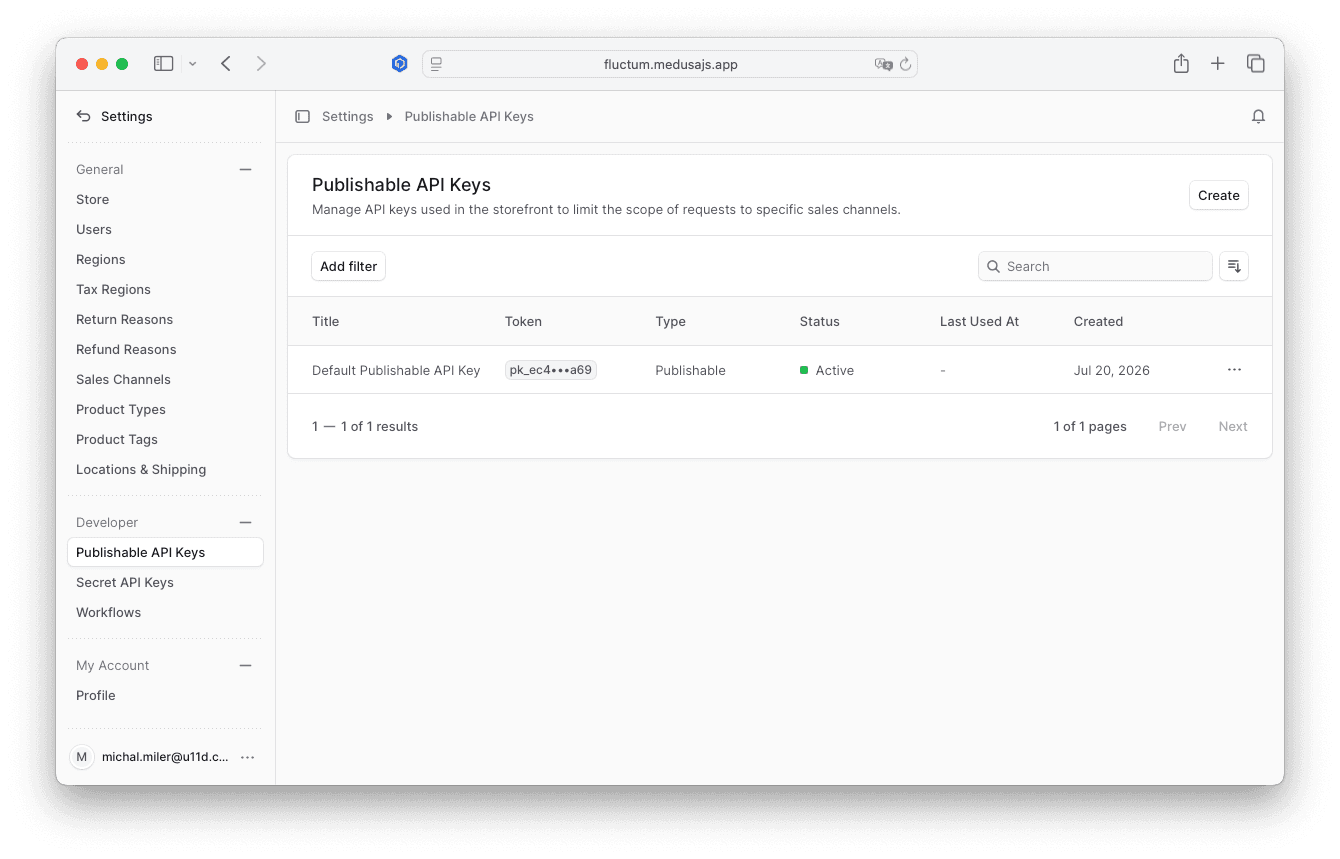
Open http://localhost:9000/app → Settings → API Keys, copy the Publishable API key, and set it as NEXT_PUBLIC_MEDUSA_PUBLISHABLE_KEY in storefront/.env:
NEXT_PUBLIC_MEDUSA_PUBLISHABLE_KEY=pk_...
Step 7: Start the storefront
In a separate terminal, with the backend still running:
pnpm run storefront:dev
- Backend:
http://localhost:9000 - Admin panel:
http://localhost:9000/app - Storefront:
http://localhost:8000
Once both are confirmed working, stop them and use pnpm run dev going forward to start backend and storefront together.
Testing & Verification
- Visit the storefront and add a gold or silver product to the cart.
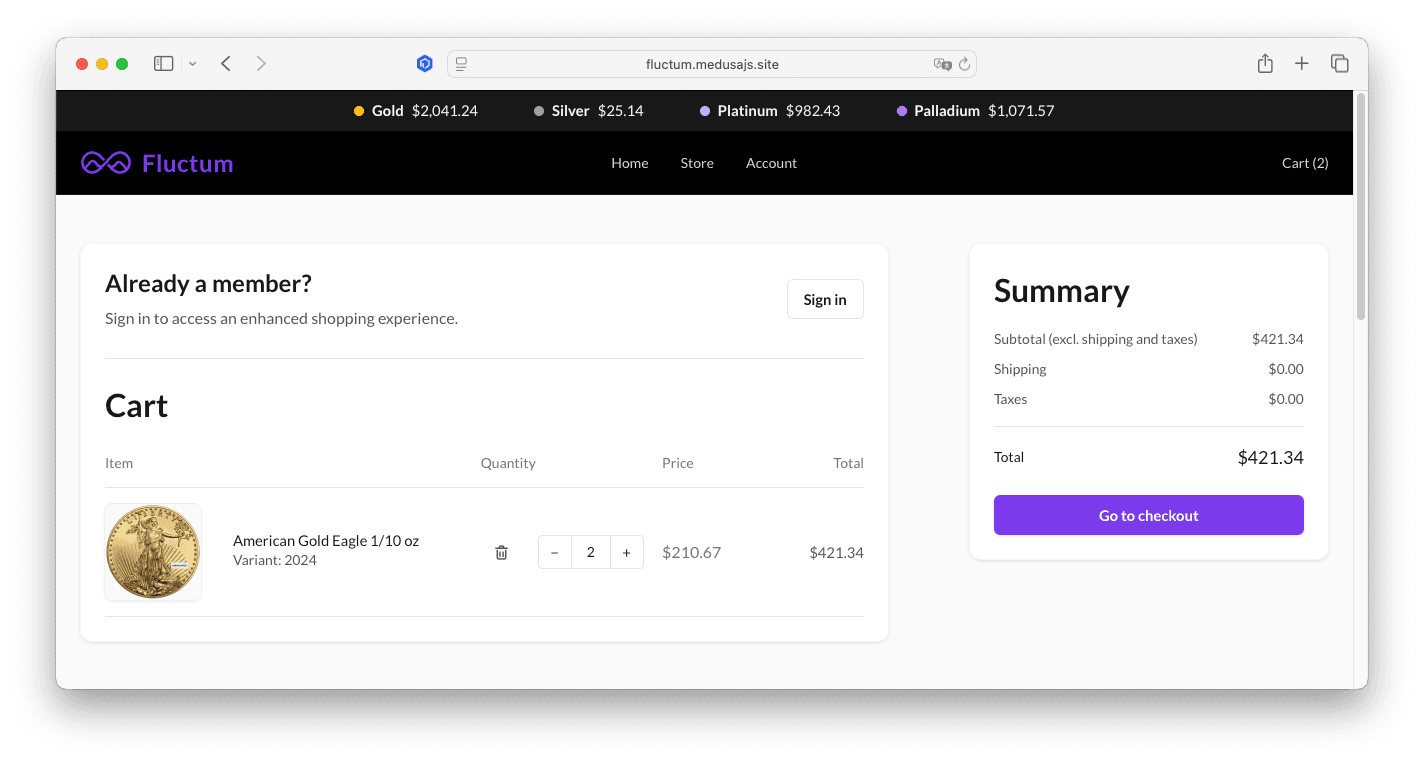
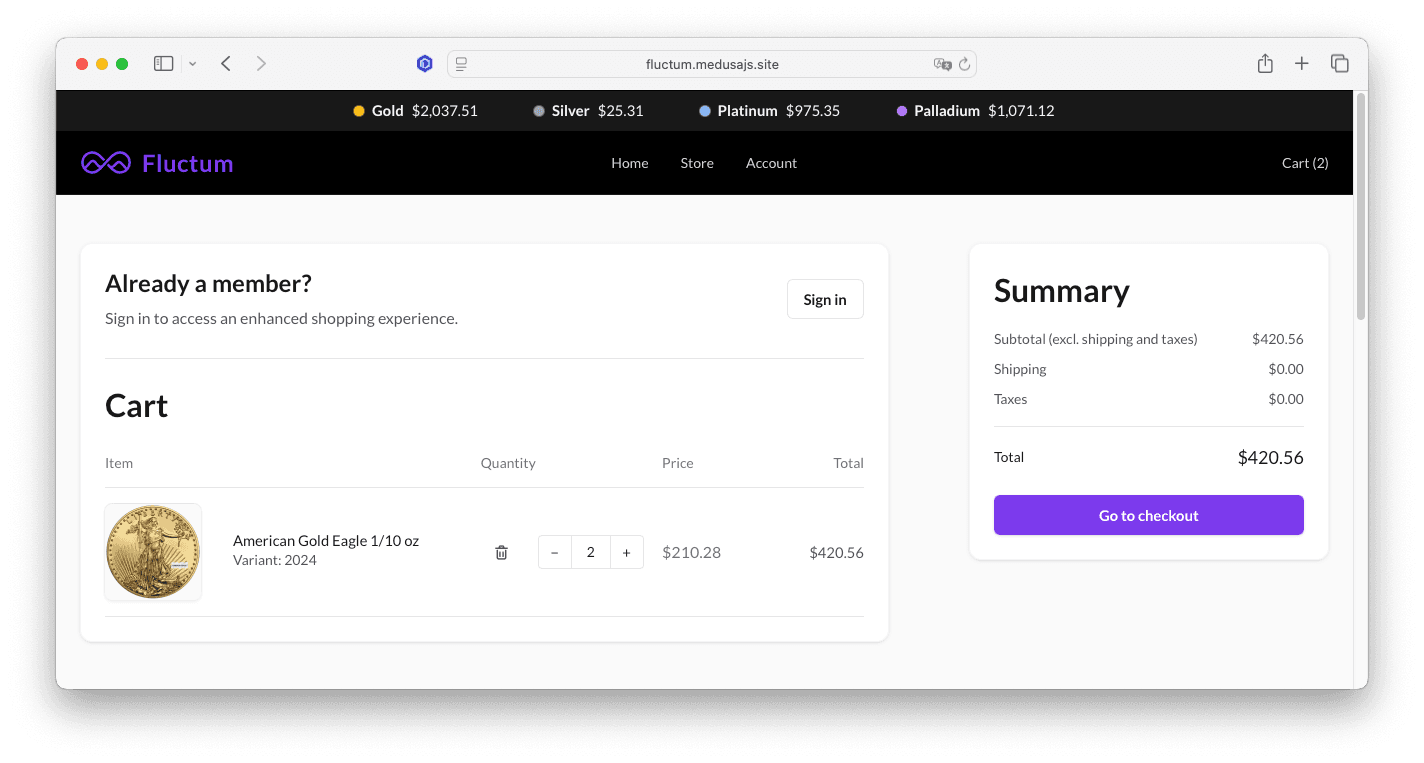
- Stay on the cart page for a few seconds and watch the price update on its own - that's the live SSE feed, not a page refresh.
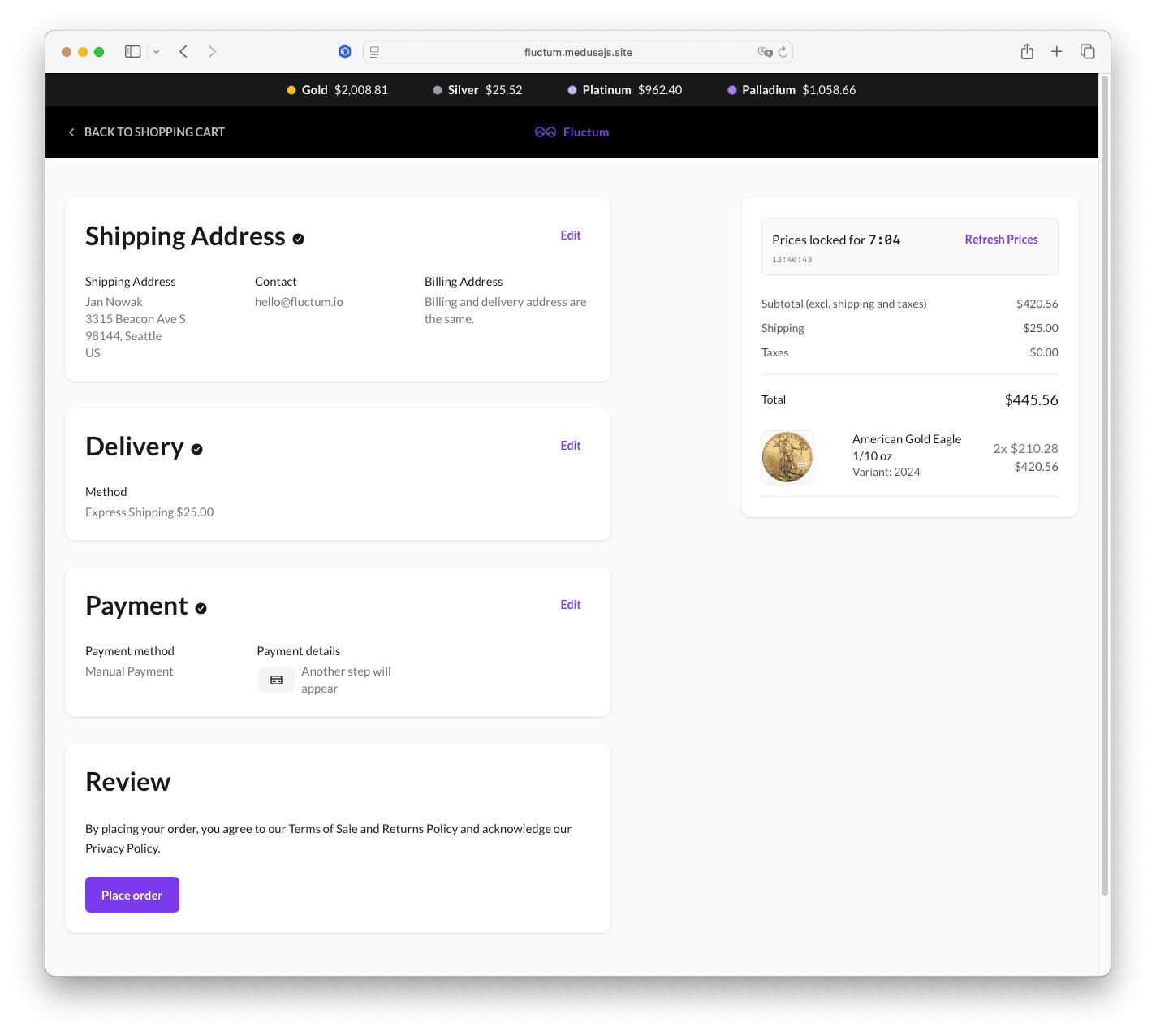
- Click "Go to checkout." This calls
lockCartPrices(cartId, force=true), which discards any existing locks for the cart and unconditionally recreates them - the price itself is computed the exact same way regardless offorce.
-
Submit the address form and continue through delivery and payment. The price stays fixed across these steps - it won't drift even if the underlying spot price moves in the meantime.
-
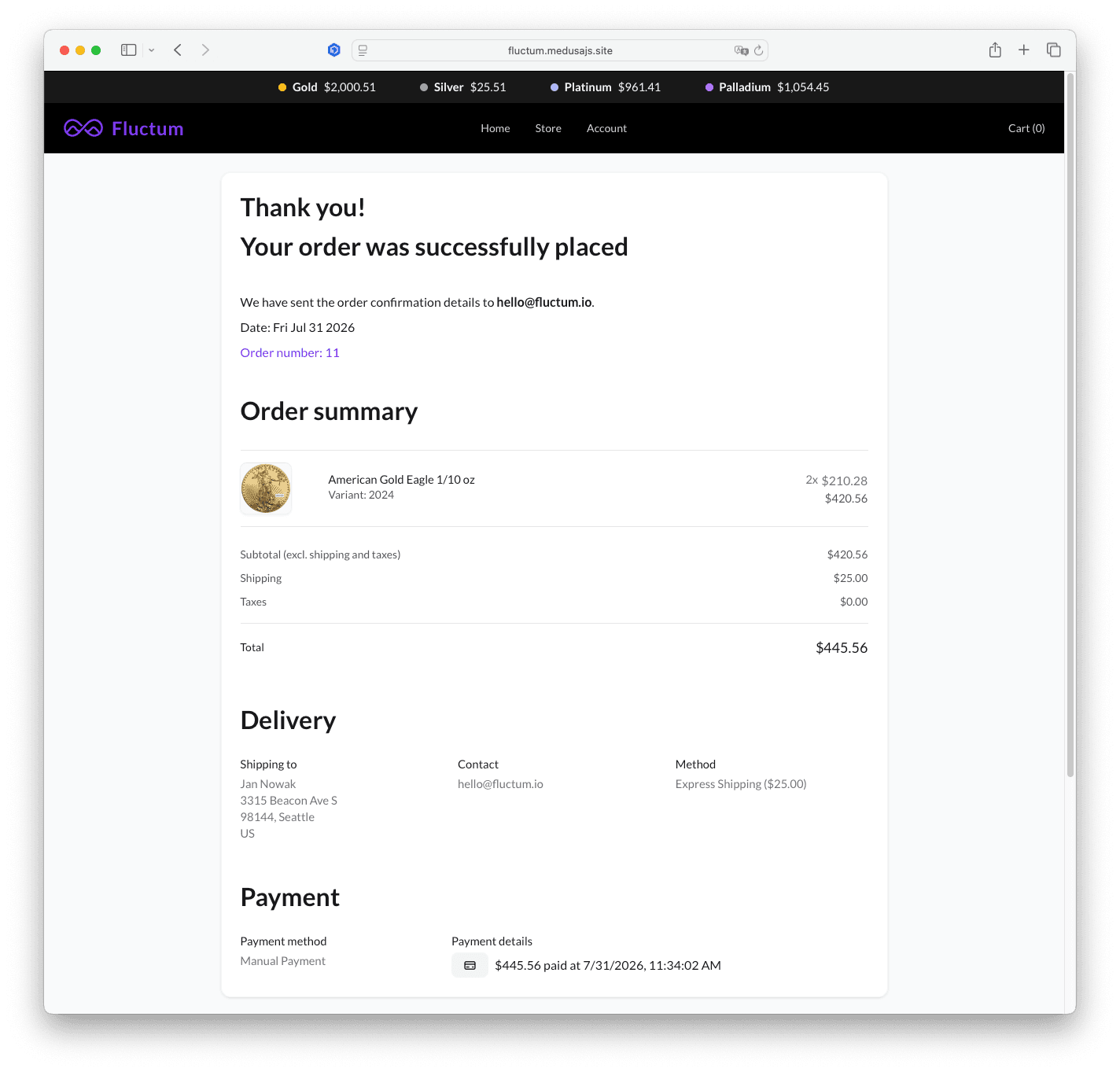
Click "Place order."
completeCartWorkflow.hooks.validatechecks that every dynamically-priced line item has a valid, unexpired lock before letting the order complete.
Deployment
Once you've verified the flow locally, the starter is ready to deploy - either to Medusa Cloud, the simplest option, or to your own infrastructure. If you'd rather self-host, see deploymedusa.com for a managed self-hosting option.
Price Logic
Fluctum never stores a dynamic price on the Medusa variant itself - it computes the final price on the fly from two of its own data models, plus the variant's weight:
SpotPrice- a snapshot per material (XAU,XAG, ...), refreshed on every scheduled fetch. It storesask,bid, andprice. The pricing formula usesprice.PricingRule- the merchant-configured margin for a product or variant:spread_factor(a multiplicative margin, e.g.1.02for a 2% spread),spread_fixed(a flat fee applied after the spread),premium_percentage, andpremium_fixed(a second flat fee, e.g. a minting or handling charge).weight_oz- the variant's weight in troy ounces, linked in via a module link rather than stored on either model above.
The formula, rounded to two decimal places:
base          = weight_oz × spot_price × spread_factor × currency_conversion
after_premium = base × (1 + premium_percentage / 100)
final_price   = after_premium + spread_fixed + premium_fixed
For example, a 1 oz gold coin with a spot price of 2,000 and a 2% spread (`spread_factor: 1.02`, no premiums or fixed fees) prices at `1.0 × 2000.00 × 1.02 = 2040.00`. Add a 1.5% premium, a 5 fixed spread, and a $10 fixed premium, and the same coin prices at 2040 × 1.015 + 5.00 + 10.00 = 2085.60.
This calculation lives in a single function, computeFinalPrice() in dynamic-pricing-plugin/src/utils/price-formula.ts, exported from both the plugin's main entry point and a ./client subpath - so the storefront can import the exact same logic the backend uses without pulling in server-only Medusa dependencies. Every CartPriceLock row created at checkout stores the resulting unit_price alongside the spot_price and all spread/premium factors used to compute it, so a locked price is always auditable after the fact. See docs/pricing-formula.md for the full breakdown and more worked examples.
Price-Lock Lifecycle
Prices in the cart are live - they update continuously via SSE and are never locked while a customer is just browsing. Locking only happens at two points, both handled by the same store API route. force doesn't change where the price comes from or how it's computed - it's purely a switch between reusing and recreating CartPriceLock rows:
POST /store/dynamic-pricing/carts/:id/price-lock
    ?force=true   - unconditionally discards existing locks and creates fresh ones
    ?force=false  - reuses existing locks if they still match the cart's current line items (same variant IDs); otherwise creates new ones
| Trigger | Lock behavior | force |
|---|---|---|
| Click "Go to checkout" on the cart page | Always creates fresh locks | true |
| Click "Refresh prices" on checkout | Always creates fresh locks | true |
Checkout page mounts (CheckoutSummary) | Reuses existing valid locks, or creates them if none exist | false |
| Submit address form | CheckoutSummary remounts, existing valid locks reused | false |
Select delivery/payment (client-side router.push()) | No effect - CheckoutSummary stays mounted | - |
| Click "Place order" | Does not create locks - reuses mount-time locks | - |
At order completion, completeCartWorkflow.hooks.validate queries the cart_price_lock table directly and rejects the order if any dynamically-priced variant has a missing or expired lock.
Conclusion
Static prices and volatile-priced goods don't mix - one side always ends up paying for the gap between the listed price and the real market. Fluctum closes that gap without requiring a custom pricing engine: live SSE updates keep the storefront honest, and price locks at checkout entry and completion keep both the customer and the merchant protected from a price moving mid-transaction.
Resources
- Landing page: fluctum.io
- Live demo: fluctum.medusajs.site/us
- npm package: @u11d/medusa-dynamic-pricing
- Starter template: u11d-com/fluctum_starter
- Plugin source: u11d-com/fluctum_medusa-dynamic-pricing-plugin
Ask u11d about integrating Fluctum
Talk to u11d about adding real-time pricing and secure checkout locks to your Medusa store — we can review architecture and deployment options.


Frequently Asked Questions
How does Fluctum prevent customers from paying a stale market price?
Fluctum creates a cart_price_lock when checkout begins and completeCartWorkflow.hooks.validate rejects orders with missing or expired locks, so stale prices can’t be charged.
Why are orders being rejected at the Place order step?
Most rejections mean your priceLockDurationSeconds is shorter than the checkout flow; increase it to match how long customers typically take to complete checkout.
I set `GOLD_API_KEY` but storefront prices still look fake — what happened?
The backend process must have the env var when it starts; restart the backend after setting GOLD_API_KEY so Fluctum uses the live provider instead of the randomProvider.
Does Fluctum write spot prices into Medusa product variants?
No. Fluctum stores spot prices and pricing rules separately and computes final prices on the fly without modifying Medusa variant price fields.
What happens if the live spot-price feed goes down?
The storefront continues showing the last successfully saved spot price and checkout locking still works; the fetch job retries until the feed recovers.
Can Fluctum price products other than precious metals?
Yes. The provider interface supports any volatile-priced asset — you can plug in different spot-price sources to price other goods.
Is Fluctum free to use?
Yes. Fluctum is MIT-licensed and available on npm as @u11d/medusa-dynamic-pricing.
What Medusa version does Fluctum require?
Fluctum requires Medusa v2, specifically version 2.15 or above.


