


Keep Your Next.js App Warm on AWS Amplify Using Lambda + EventBridge


If your Next.js app runs on AWS Amplify Hosting with SSR enabled, your app uses AWS-managed server-side compute that starts only when needed. After a period of inactivity (often around 5–15 minutes), the execution environment may be scaled down. The next visitor can then experience a cold-start-like delay while the server-side environment initializes again.
In practice, that first request can feel noticeably slow — sometimes taking a few seconds — especially on low-traffic blogs or marketing sites.
This guide shows a simple way to reduce that latency by calling a lightweight health endpoint every 5 minutes to keep the application warm.
Should you do this?
Use warming when:
- You have traffic spikes with long quiet periods
- People notice slow first page loads after inactivity
- You care more about first-visit speed than a tiny monthly cost
Skip warming when:
- Traffic is steady enough to keep Lambda warm naturally
- You want absolute minimum cost and can accept occasional slow first loads
How it works
- Add a very fast
/api/healthroute - Create a small Lambda function that calls your health URL
- Create an EventBridge Scheduler job with
rate(5 minutes)to invoke that Lambda
For a basic warmup, call
/api/health. For a realistic warmup, call the actual SSR route that suffers from cold starts, or create a warmup endpoint that imports the same heavy modules used by the SSR path.
That’s it. The scheduler keeps sending lightweight requests so the function stays ready.
Step 1: Add a health endpoint
Create this route:
// app/api/health/route.ts
export async function GET() {
  return new Response(JSON.stringify({ status: 'ok', timestamp: new Date().toISOString() }), {
    status: 200,
    headers: { 'Content-Type': 'application/json' },
  })
}
Keep this endpoint simple:
- No database calls
- No external API calls
- Just return 200 quickly
Deploy this before setting up the schedule.
Step 2: Create Lambda + EventBridge Scheduler
This uses the modern EventBridge Scheduler + Lambda approach with Node.js.
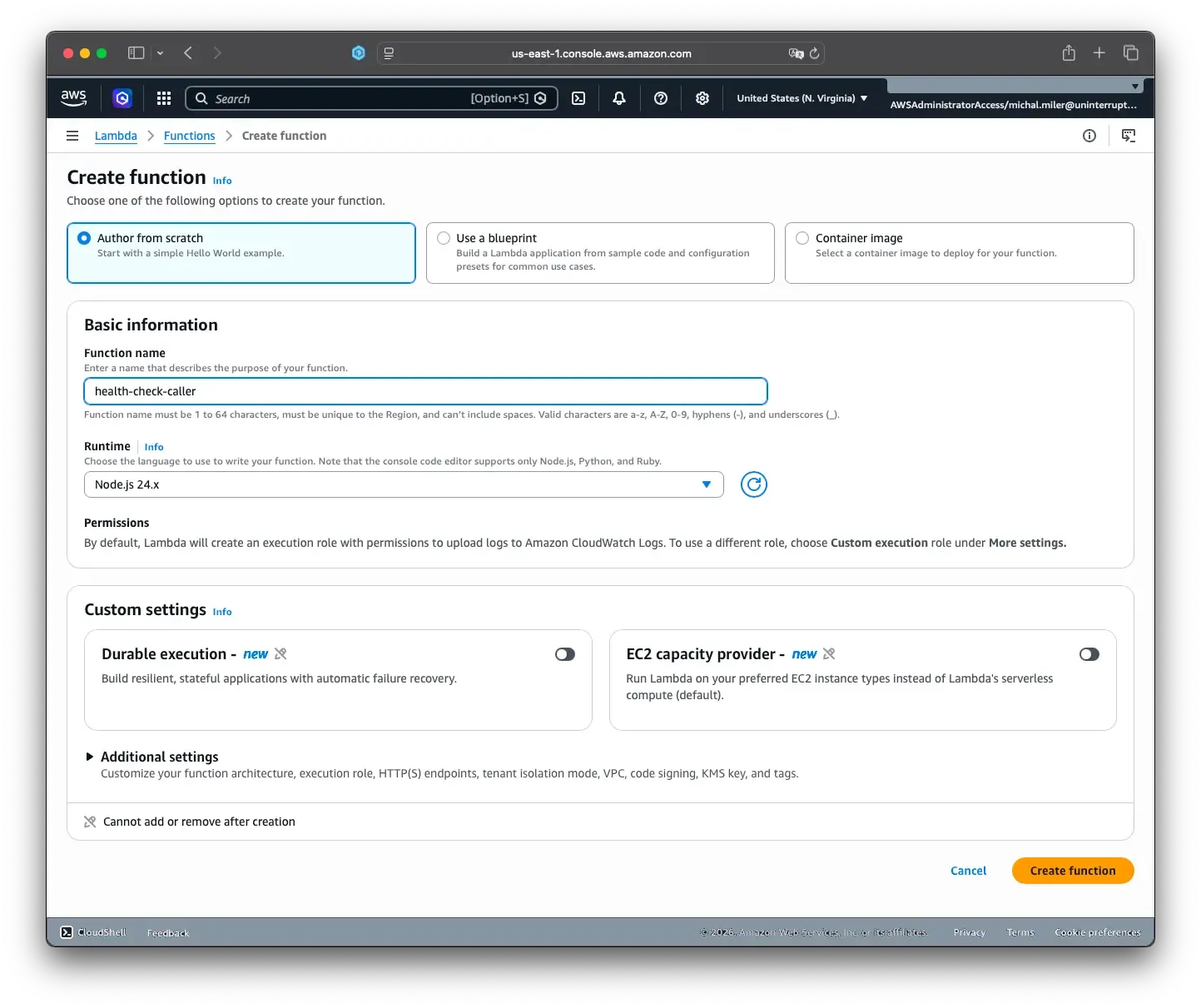
2.1 Create the Lambda function
In AWS Lambda:
- Click Create function
- Choose Author from scratch
- Set Function name to
health-check-caller - Set Runtime to
Node.js 24.x(or latest available) - Create the function
2.2 Add environment variable
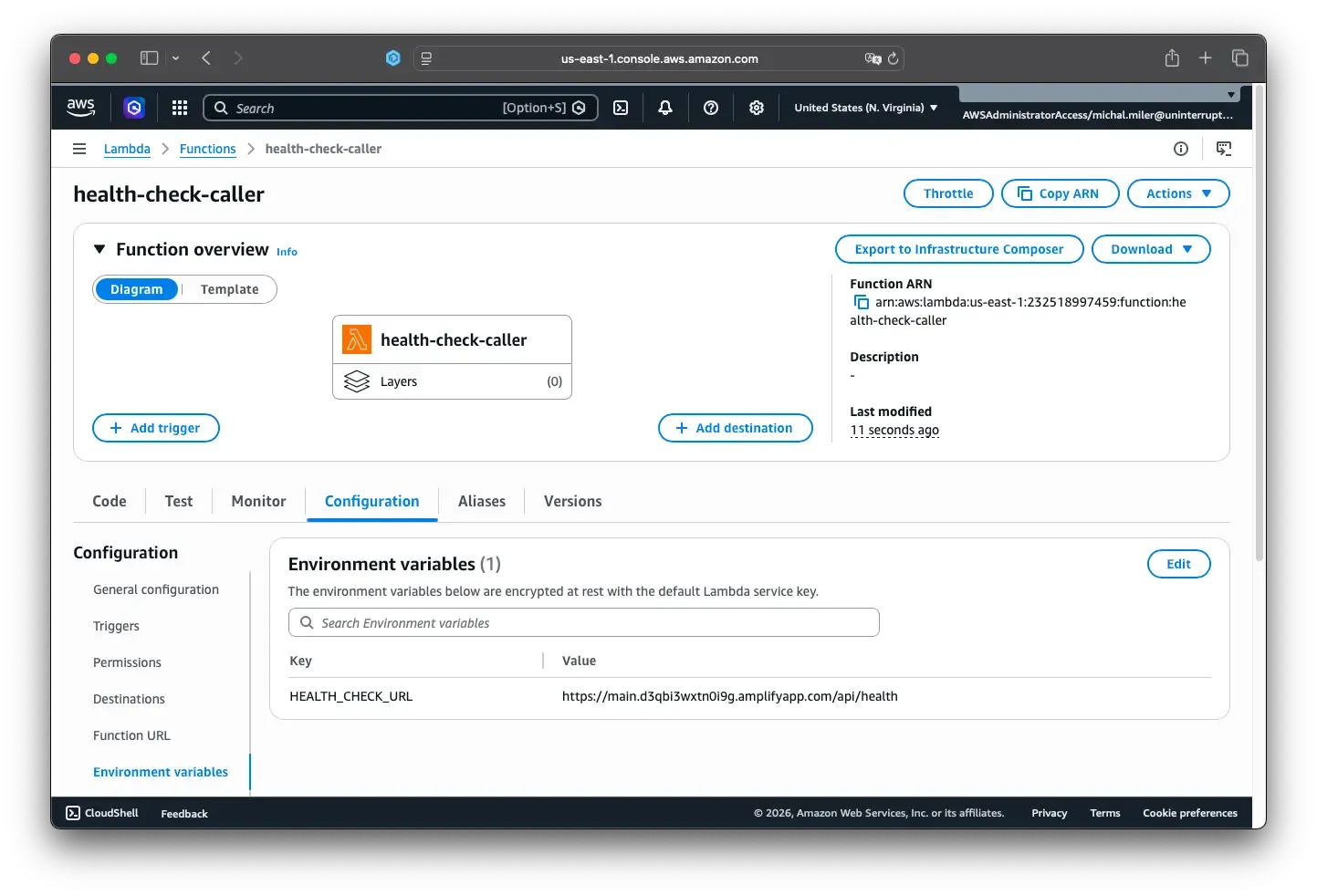
In the function configuration:
- Go to Configuration → Environment variables → Edit
- Add:
- Key:
HEALTH_CHECK_URL - Value: your API endpoint (e.g.
https://main.d3qbi3wxtn0i9g.amplifyapp.com/api/health)
- Key:
- Save
2.3 Update Lambda code
Go to Code tab and use this function code in index.mjs:
export const handler = async (event) => {
  const healthCheckUrl = process.env.HEALTH_CHECK_URL

  if (!healthCheckUrl) {
    console.error('HEALTH_CHECK_URL environment variable is not set')
    return {
      statusCode: 500,
      body: JSON.stringify({
        error: 'HEALTH_CHECK_URL environment variable is not set',
        timestamp: new Date().toISOString(),
        success: false,
      }),
    }
  }

  try {
    console.log(`Calling health check endpoint: ${healthCheckUrl}`)

    const response = await fetch(healthCheckUrl, {
      method: 'GET',
      headers: {
        'User-Agent': 'AWS-Lambda-Health-Check/1.0',
        'Content-Type': 'application/json',
      },
      signal: AbortSignal.timeout(10000),
    })

    const responseText = await response.text()

    console.log(`Health check response - Status: ${response.status}, Data: ${responseText}`)

    const result = {
      timestamp: new Date().toISOString(),
      health_check_url: healthCheckUrl,
      status_code: response.status,
      response_data: responseText,
      success: response.ok,
    }

    return {
      statusCode: 200,
      body: JSON.stringify(result, null, 2),
    }
  } catch (error) {
    console.error(`Health check failed: ${error.message}`)

    const errorResult = {
      timestamp: new Date().toISOString(),
      health_check_url: healthCheckUrl,
      error: error.message,
      success: false,
    }

    return {
      statusCode: 500,
      body: JSON.stringify(errorResult, null, 2),
    }
  }
}
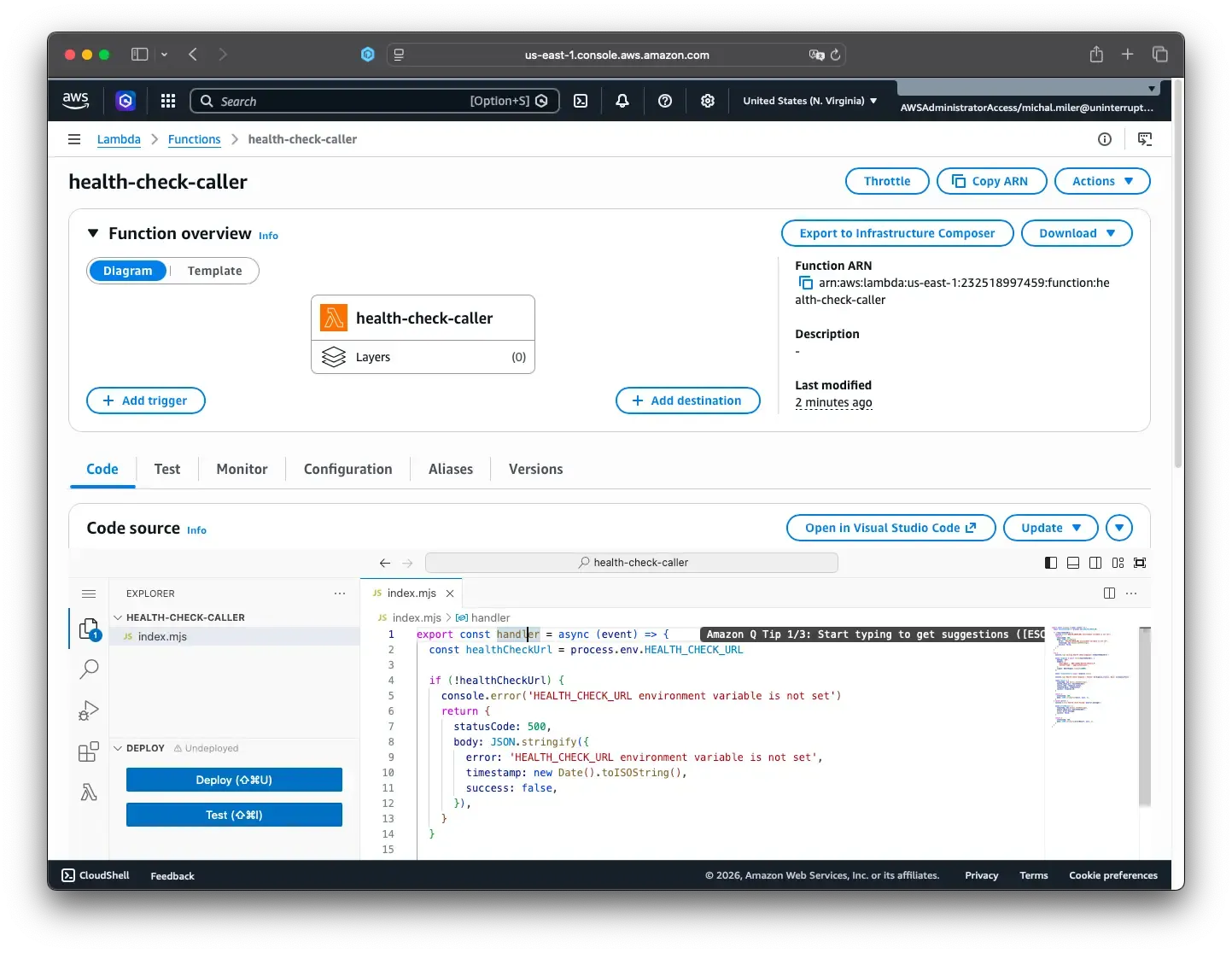
Click Deploy to save the function code.
2.4 Configure Lambda settings
In Configuration → General configuration:
- Timeout:
30 seconds - Memory:
128 MB
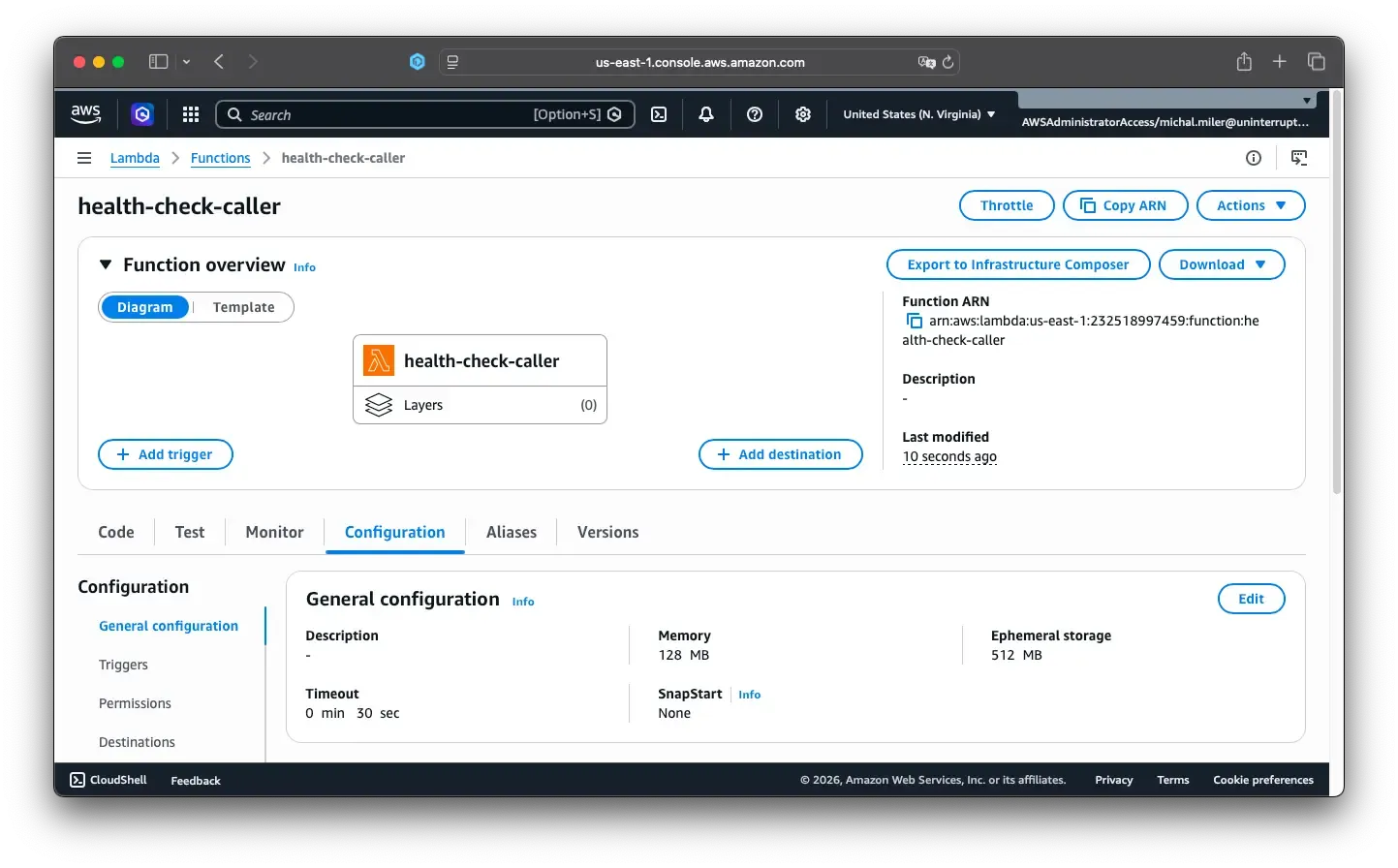
Save the settings.
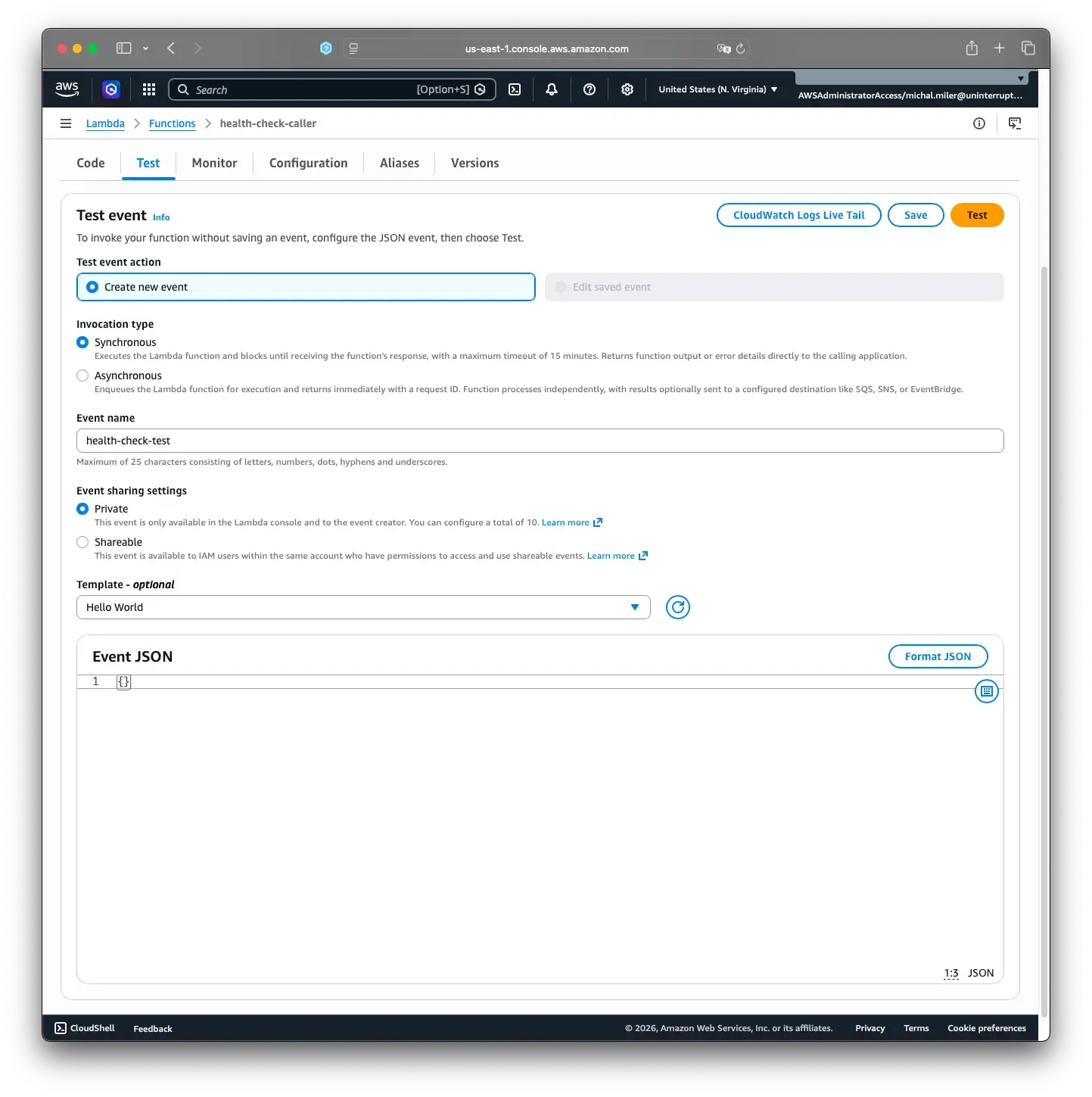
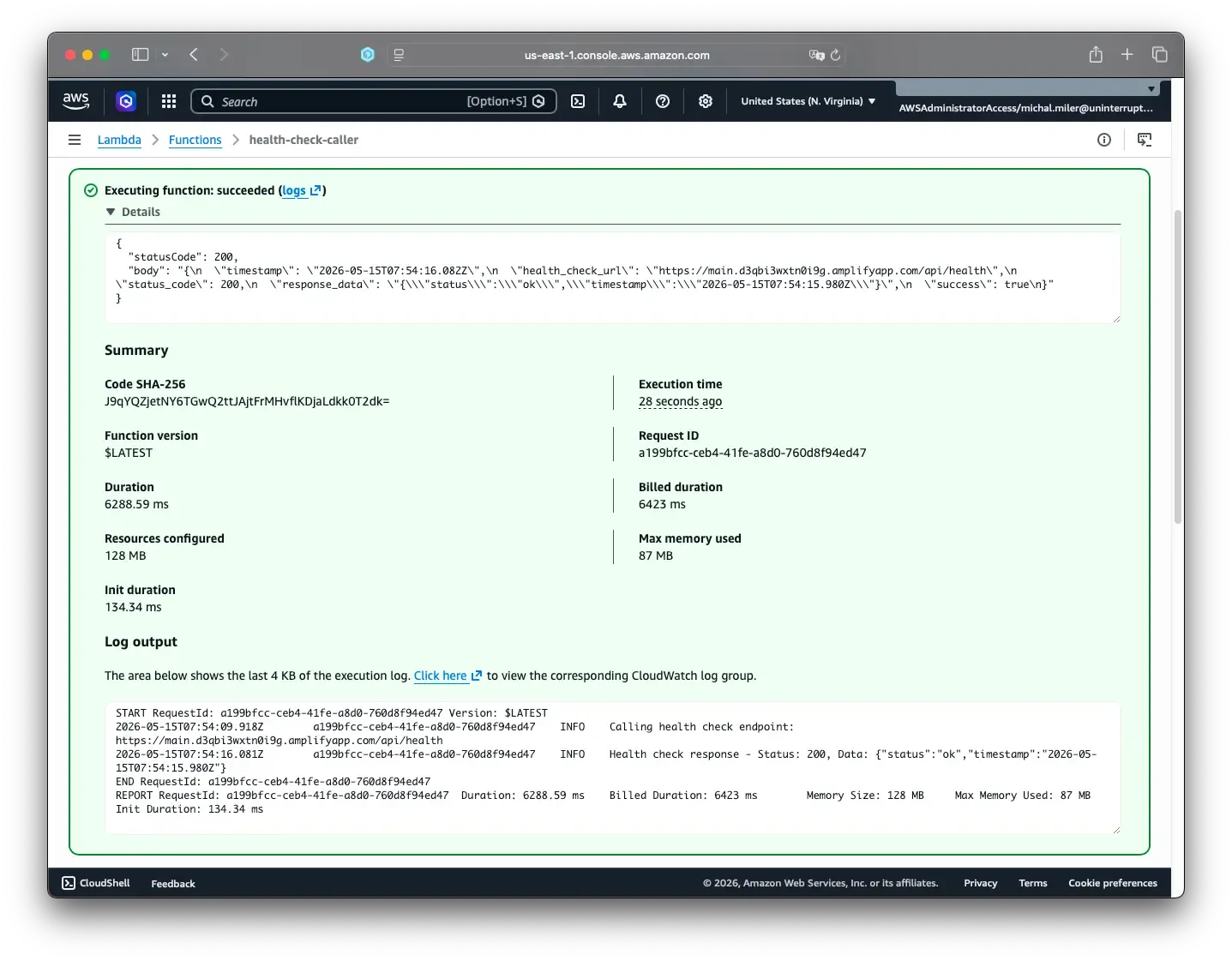
2.5 Test Lambda once manually
- Open the Test tab
- Create a test event (for example
health-check-test) with default JSON - Run Test and confirm the invocation succeeds
2.6 Create EventBridge schedule
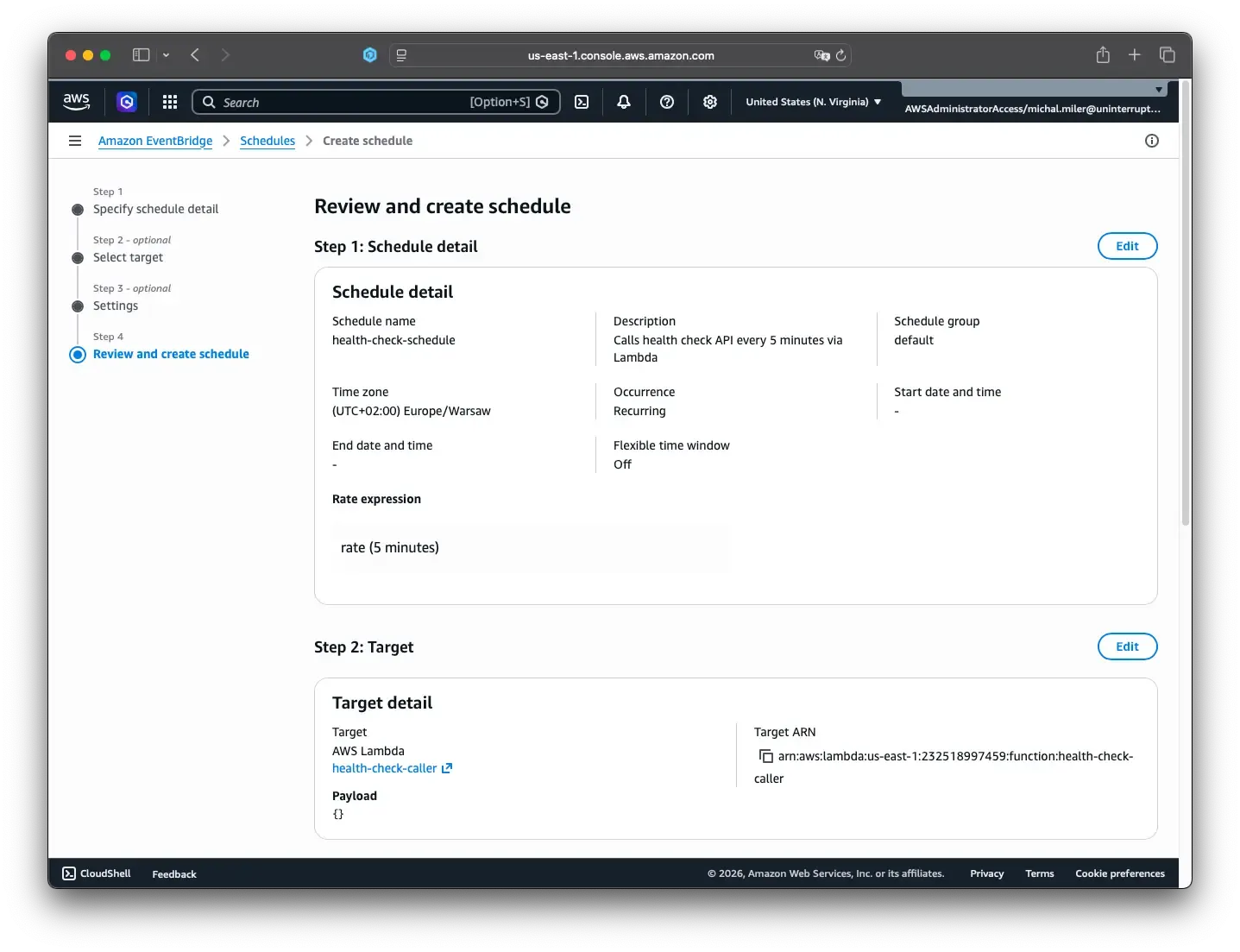
- Go to Event Bridge → Scheduler -> Schedules
- Click Create schedule.
- Name:
health-check-schedule - Description:
Calls health check API every 5 minutes via Lambda - Schedule type: Recurring schedule
- Pattern: Rate-based schedule
- Expression:
rate(5 minutes) - Flexible time window: Off
- Timezone: choose your preferred zone
- Optional: Flexible time window — If your app is mainly used during specific hours (for example, 8am–2pm), you can enable the flexible time window and set a start and end time. This reduces costs by only warming during active hours
- Click Next
Target configuration:
- Target API: AWS Lambda → Invoke
- Lambda function:
health-check-caller - Payload:
{}(empty object)
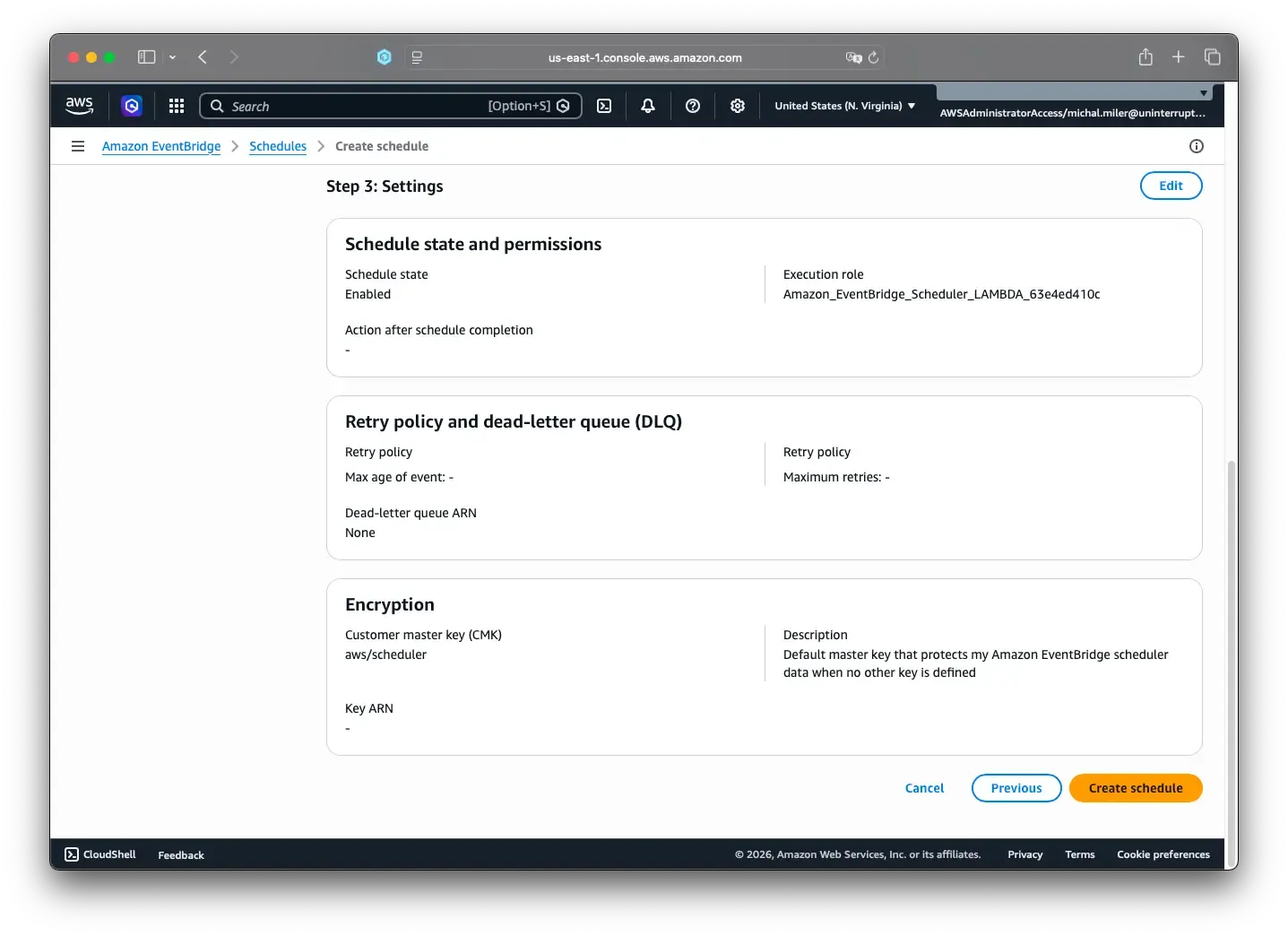
Settings:
- Keep settings default
- Retry policy: off (simplified)
- Dead-letter queue: off (simplified)
- Encryption: AWS owned key (default)
Review and create the schedule.
Step 3: Verify it is working
Check these places after deployment:
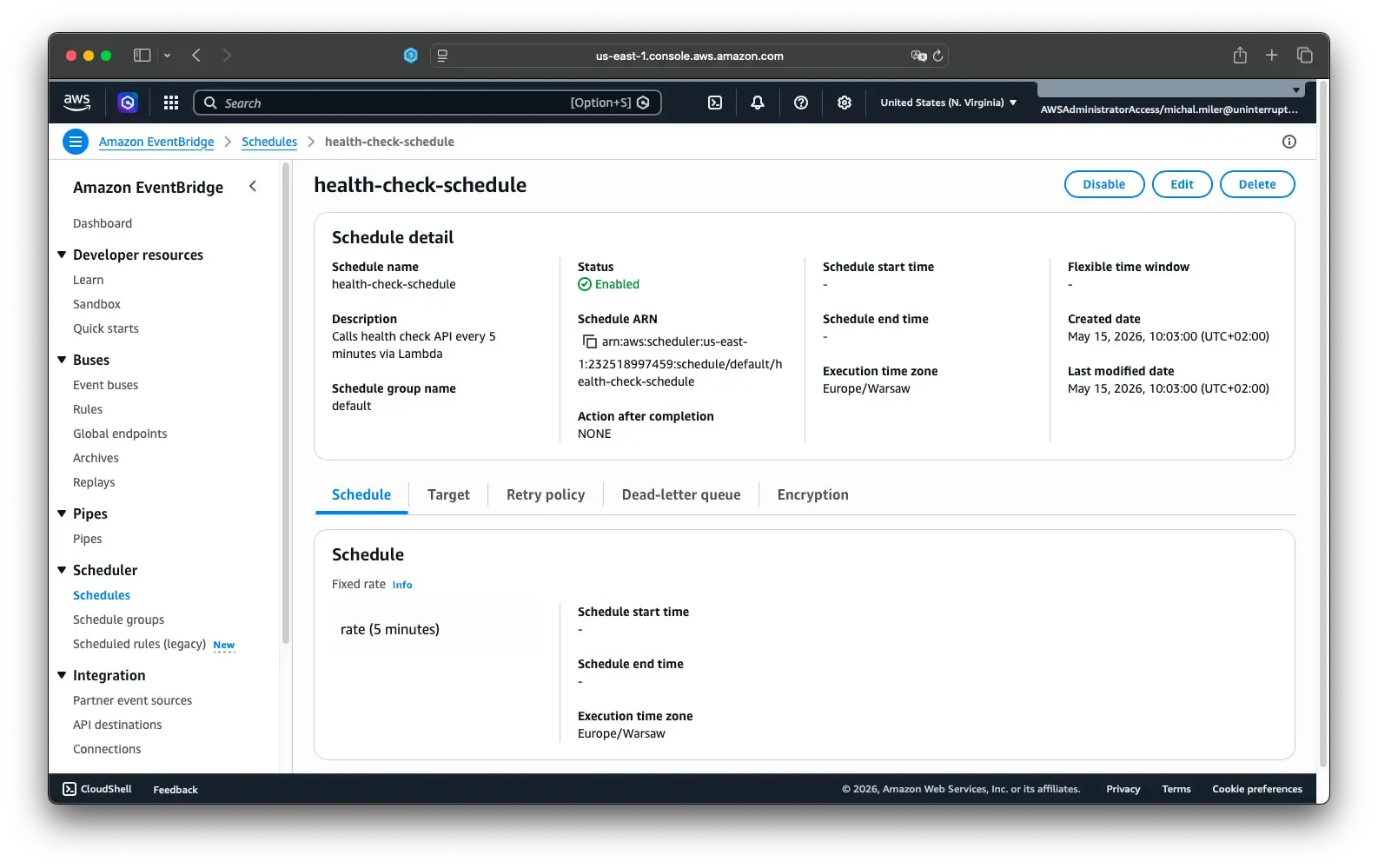
- EventBridge Scheduler: schedule status is
Enabled
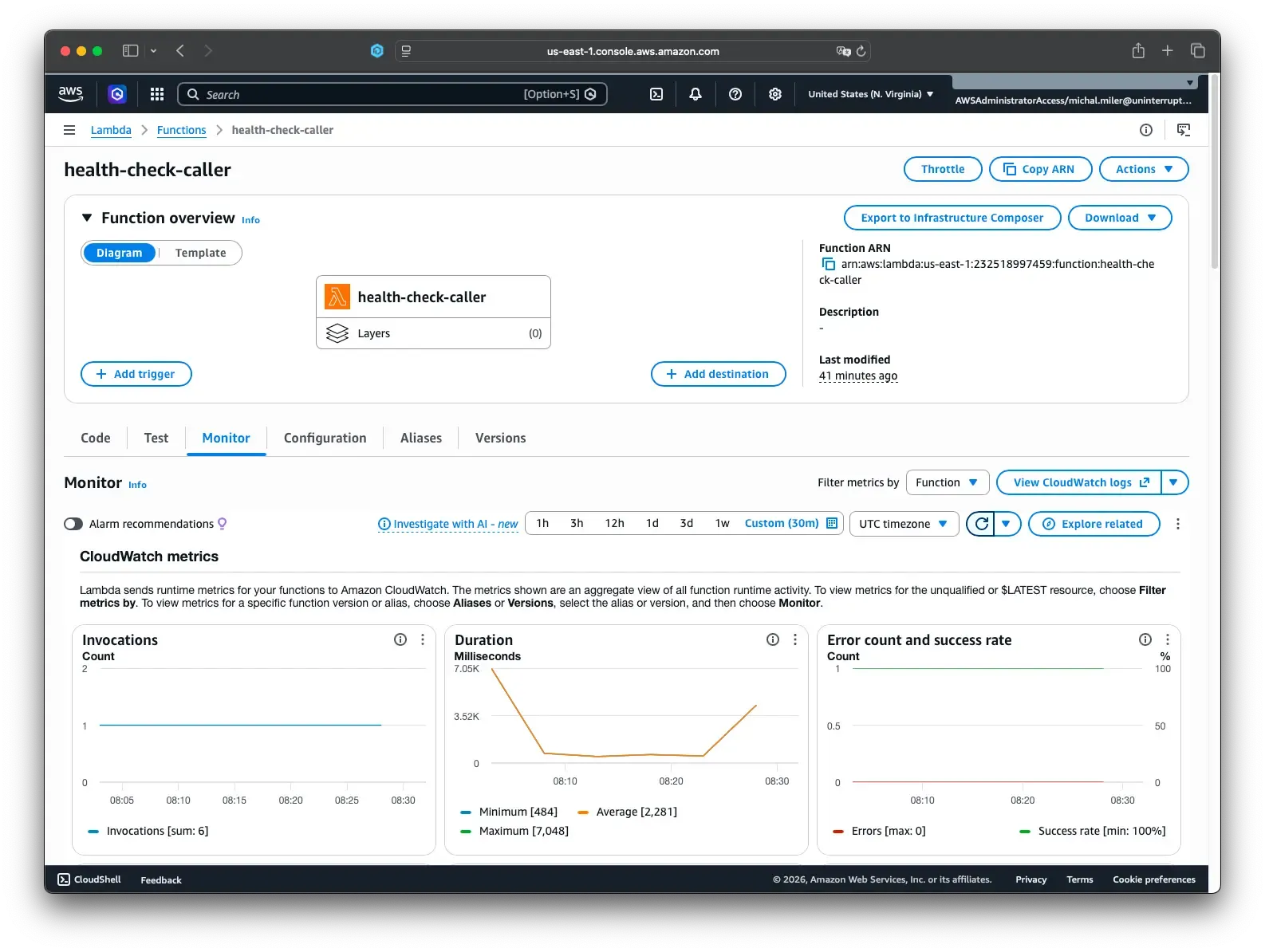
- Lambda Monitor tab: invocations appear every 5 minutes
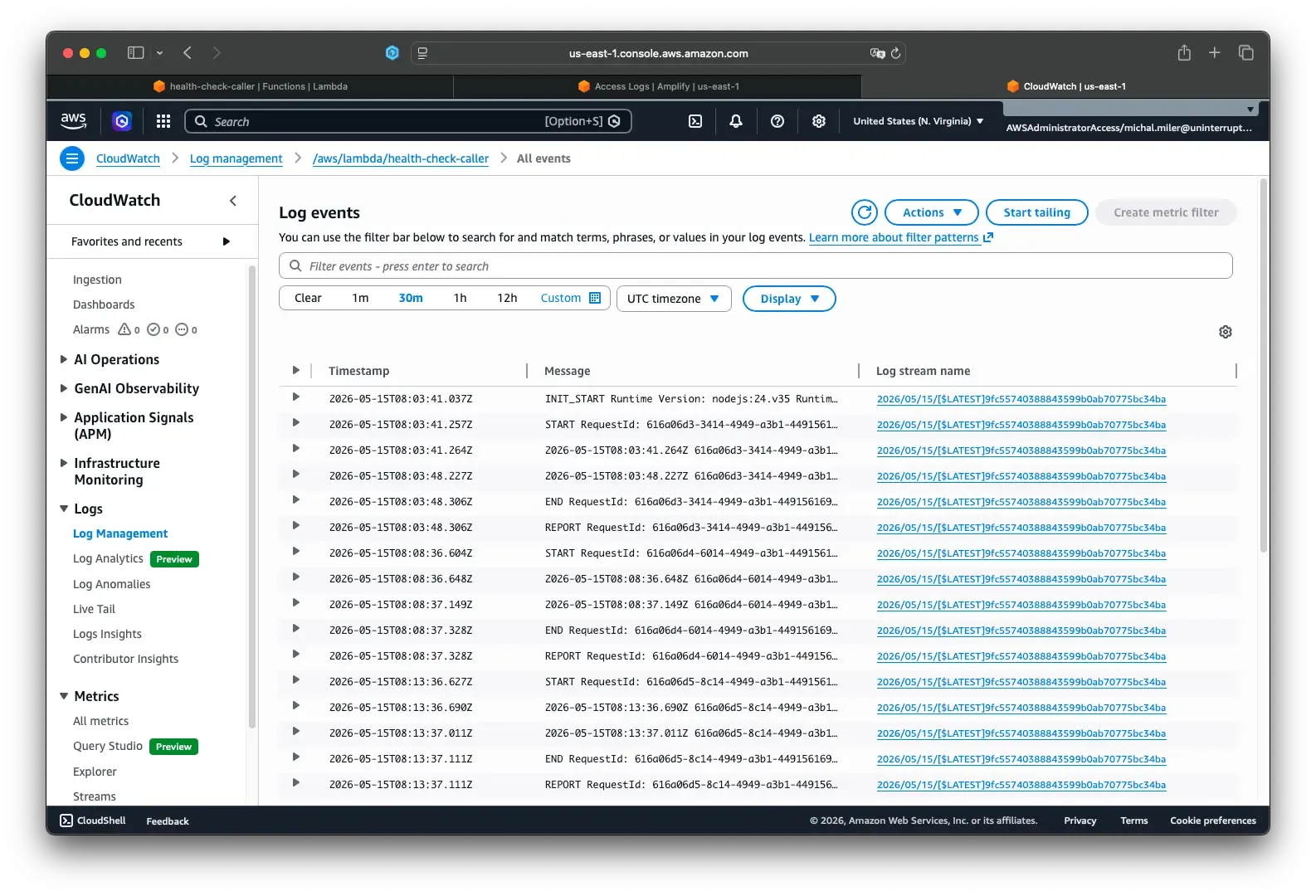
- CloudWatch logs for
health-check-caller: look for successful health check calls
- Amplify compute logs: look for regular
GET /api/healthentries
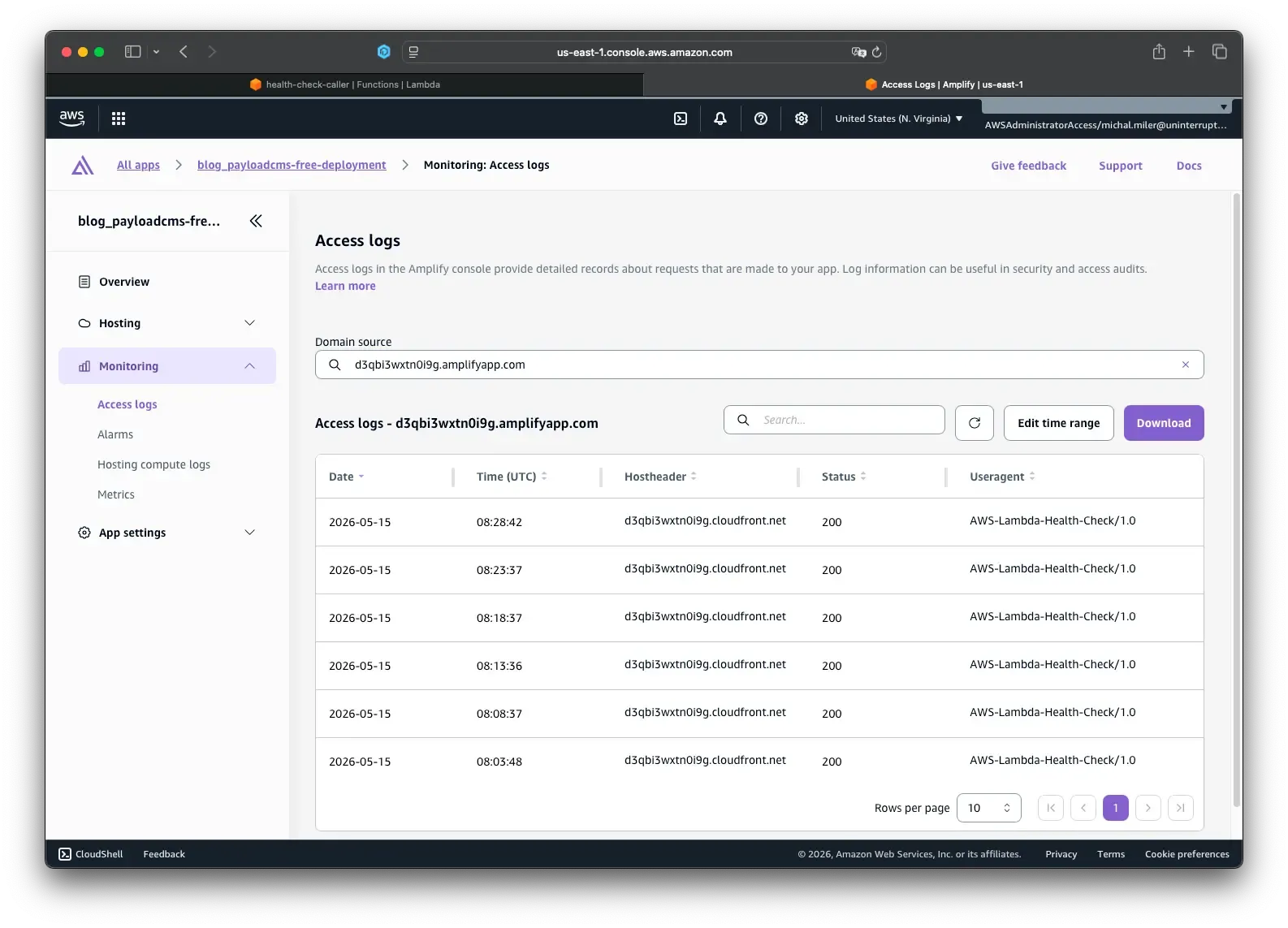
If these are healthy, warming is active.
Step 4: Monitor and troubleshoot
Basic checks:
- Lambda invocations should appear every 5 minutes
- Lambda errors should stay at or near zero
- Lambda duration should remain well under 30 seconds
If Lambda is not invoked:
- Verify the schedule is enabled
- Verify rate expression syntax
- Check the Scheduler execution role permissions
If health checks fail:
- Test the health URL directly in browser/curl
- Verify
HEALTH_CHECK_URLis correct - Check Lambda CloudWatch logs for the exact error
If you see timeout errors:
- Increase Lambda timeout
- Check health endpoint latency
Step 5: Optional customizations
5.1 Change health check URL
Update HEALTH_CHECK_URL in Lambda environment variables.
5.2 Change schedule frequency
Edit the Scheduler expression, for example:
rate(1 minute)rate(10 minutes)
5.3 Add custom headers
If your endpoint requires auth, add headers in fetch:
const response = await fetch(healthCheckUrl, {
  method: 'GET',
  headers: {
    'User-Agent': 'AWS-Lambda-Health-Check/1.0',
    'Content-Type': 'application/json',
    Authorization: 'Bearer your-token-here',
    'X-API-Key': 'your-api-key-here',
  },
  signal: AbortSignal.timeout(10000),
})
Cost snapshot
At rate(5 minutes), you send about 8,640 requests per month.
- EventBridge Scheduler free tier is very high (14M invocations/month)
- Lambda free tier is 1M requests/month
For most small blogs, this usually stays free or near-free.
Conclusion
Cold starts in serverless SSR environments are a normal part of how AWS Amplify Hosting scales infrastructure, but they can noticeably impact the first experience users have with your site. By combining a lightweight health endpoint, a small Lambda function, and an EventBridge Scheduler job, you can significantly reduce those delays with minimal complexity and cost. For low-traffic Next.js applications, blogs, SaaS landing pages, and marketing sites, this simple warming strategy is often enough to make first-page loads feel much more responsive. Just remember that warming solves only the server startup delay — overall performance still depends on efficient SSR logic, caching, optimized assets, and fast database queries.
We Can Help You Scale
If your traffic grows, infrastructure becomes unstable, or you need to move between cloud providers, u11d can help. We have production experience across Vercel, AWS, DigitalOcean, and others; we specialize in cost-effective, resilient deployments. We care about your business success, not just the technology.


References
- Amplify SSR and Lambda behavior
- EventBridge Scheduler docs
- Lambda Provisioned Concurrency
- Lambda pricing
Frequently Asked Questions
What causes cold starts in AWS Amplify SSR apps?
Cold starts happen when AWS scales server-side compute down after inactivity and must start it again for the next request.
How often should I warm my Next.js app?
Every 5 minutes is a common balance between performance and cost for low-traffic applications.
Does warming completely eliminate cold starts?
No. It significantly reduces them, but occasional cold starts can still happen.
What endpoint should I use for warming?
Use a lightweight health endpoint or the actual SSR route affected by cold starts.
Will warming increase AWS costs?
Usually only slightly. Many small sites stay within AWS free tier limits.
Why is my site still slow after enabling warming?
Slow databases, missing caching, large bundles, or heavy SSR logic can still impact performance.
Why does my Lambda warmer fail sometimes?
Common causes include incorrect URLs, timeout limits, networking issues, or missing environment variables.
Why does Amplify still show occasional cold requests?
AWS infrastructure can still recycle environments or scale differently under certain traffic conditions.
What happens if the EventBridge schedule stops running?
Your app may return to experiencing cold starts after inactivity periods.
How can I monitor if warming is working correctly?
Use CloudWatch logs, Lambda metrics, and EventBridge Scheduler status to confirm regular successful invocations.


